
If you're planning a live concert stream, you need a tool that’s simple, reliable, and doesn’t make you choose between quality and cost. Streamyard is one of the most popular platforms for musicians, bands, and promoters who want to broadcast live shows without hiring a full production crew. But how much does it actually cost? And is it worth it for your kind of show?
Streamyard offers four main plans: Free, Basic, Professional, and Business. Each one adds features that matter more the bigger your audience or the more professional your setup needs to be.
The Free plan lets you go live with up to two guests, stream to one platform at a time (like YouTube or Facebook), and includes basic branding. It’s great for testing the waters - maybe you want to stream an acoustic set from your living room to see how it feels. But if you’re planning a real concert, this plan won’t cut it. You won’t get custom logos, HD quality, or the ability to switch between multiple cameras or screens.
The Basic plan costs $25 per month when billed annually ($30 if monthly). This is where most independent artists start. You get up to 10 guests, streaming to three platforms at once, HD video (1080p), custom branding (your logo and colors), and 50 hours of cloud recording per month. That’s enough for about five full-length concerts a month. If you’re playing weekly gigs and want to save replays for your website or YouTube channel, this is the sweet spot.
The Professional plan is $49 per month (billed annually) or $59 monthly. It adds unlimited guests, streaming to five platforms at once, 200 hours of cloud recording, and the ability to use custom backgrounds, lower thirds, and branded overlays. This plan also includes priority support - meaning if your stream crashes right before a 10,000-person livestream, someone from Streamyard will jump on a call with you. If you’re touring digitally or running a monthly concert series, this is the plan most serious performers choose.
The Business plan starts at $99 per month (billed annually) and is built for teams. You get up to 20 team members with individual logins, custom analytics dashboards, white-label branding (no Streamyard logo), and the ability to schedule streams weeks in advance. It also includes advanced moderation tools and the option to embed streams directly into your own website without any branding. This is what indie labels and concert promoters use when they’re running multi-artist events or virtual festivals.
It’s easy to look at Streamyard and think, “It’s just a streaming tool.” But the real value isn’t in the buttons - it’s in what it saves you.
Without Streamyard, you’d need a laptop, a camera, a microphone, a mixer, OBS Studio, a stable internet connection, and someone who knows how to set up RTMP streams. Then you’d need to manage five different platform accounts and switch between them manually. One mistake - wrong bitrate, wrong key, wrong resolution - and your whole show buffers or cuts out.
Streamyard removes all that. You log in, click “Go Live,” pick your platforms, add your guests via a link, and hit start. No coding. No plugins. No guesswork. Even if you’ve never streamed before, you can be live in under three minutes.
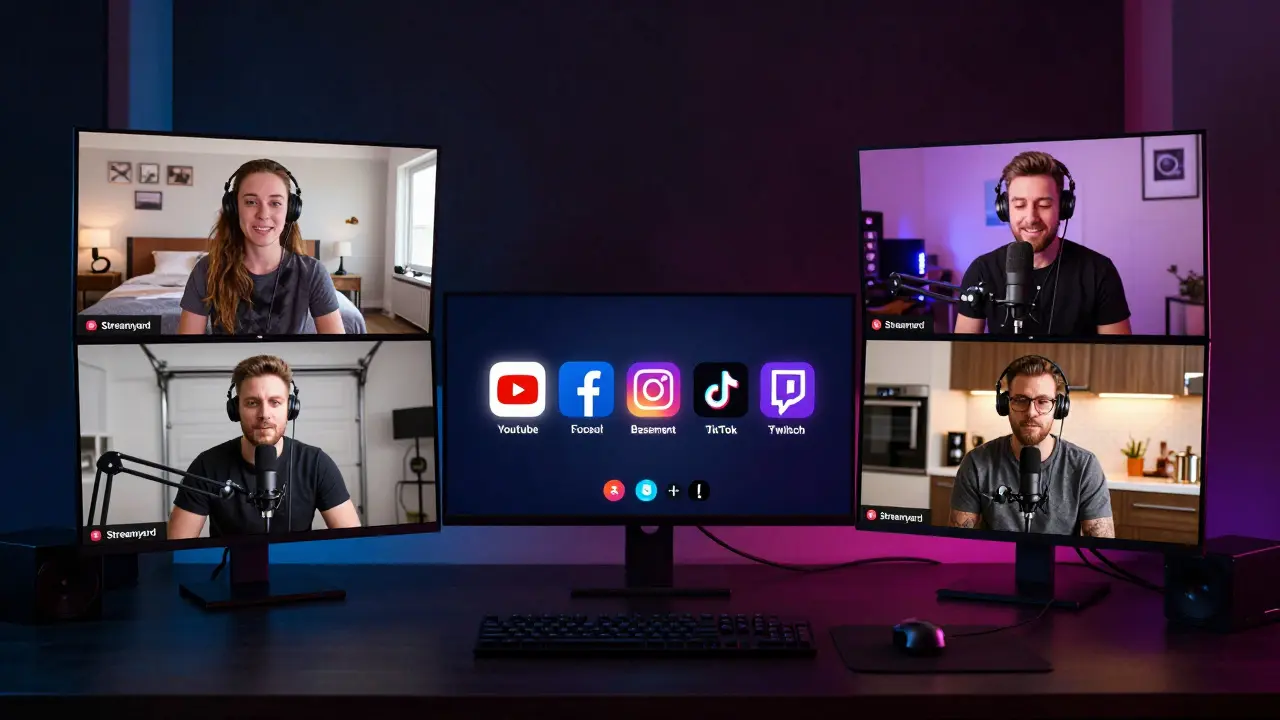
For musicians, that means less stress and more focus on performance. You can have your drummer join from their garage in Nashville while you’re in Brooklyn, and your bassist from Berlin. All three of you stream together in perfect sync. Viewers see a clean, professional-looking show - not a janky Zoom call with echo and lag.
Streamyard doesn’t charge extra for bandwidth, storage, or guest invites. That’s good. But there are a few things you’ll still need to pay for separately.
So while Streamyard’s subscription is fixed, your total setup cost might be $300-$600 upfront. But once you have the gear, your monthly cost is just the subscription.
Streamyard isn’t for everyone. If you’re doing a one-off stream with a phone and a tripod, you might be better off using YouTube Live or Facebook Live directly. They’re free, and you don’t need to learn a new tool.
Also, if you need advanced features like multi-track audio mixing, real-time video editing, or custom chroma key effects, Streamyard won’t replace OBS Studio or vMix. Those tools give you full control - but they also require training, time, and technical patience.
Streamyard is for people who want to look professional without becoming engineers. If your goal is to reach fans, sell tickets, or build a following through live music - and you don’t want to spend your weekend troubleshooting RTMP keys - then Streamyard is the right fit.
Here’s what actual artists are doing with Streamyard in 2025:
These aren’t big names. These are people using Streamyard to turn a hobby into income - without needing a studio, a manager, or a budget for broadcast equipment.
If you’re serious about live music streaming, yes. The Basic plan at $25/month is cheaper than most music lessons. The Professional plan at $49/month is less than what you’d pay for one gig’s PA rental.
Compare that to hiring a live stream technician: $150-$300 per show. With Streamyard, you do it yourself - and you learn how to do it better every time.
Plus, you keep full control. You decide when to go live, who to invite, what to say before the show, and how to promote it. No middleman. No cut. No restrictions on content.
There’s no other tool that makes professional live concert streaming this easy, this affordable, and this reliable.
Ask yourself these three questions:
If you answered “one guest, one platform, no recordings” - go Free.
If you answered “band of four, streaming to YouTube and Facebook, saving every show” - Basic is your plan.
If you’re doing monthly shows, selling tickets, or running a series - go Professional.
If you’re a label, venue, or promoter managing multiple artists - Business is the only choice.
Streamyard offers a 14-day free trial on all paid plans. No credit card required. Test it with your next rehearsal. See how it feels. You might be surprised how much better your stream looks - and how much more your audience stays.
Yes, Streamyard offers a 14-day free trial on all paid plans - Basic, Professional, and Business. You don’t need to enter a credit card to start. You can test all the features, invite guests, and stream to multiple platforms. If you don’t upgrade after 14 days, your account will revert to the Free plan.
Yes, Streamyard supports streaming to TikTok Live, but you need a Professional or Business plan. TikTok requires a verified account with at least 1,000 followers to enable live streaming, and you must link your TikTok account through Streamyard’s dashboard. The Free and Basic plans do not support TikTok.
No. Streamyard runs in your web browser - so any modern laptop or desktop made in the last five years will work fine. You don’t need a gaming rig. Just make sure you have a stable internet connection and enough bandwidth (at least 10 Mbps upload for HD). If you’re using a Chromebook or an older Mac, test it before your live show.
Yes, but not directly through Streamyard. You can add links to your merch store, Bandcamp, Patreon, or PayPal in your stream’s description or on-screen overlays. You can also use third-party tools like Streamlabs or Donorbox to show live donations during your stream. Streamyard doesn’t take a cut - you keep 100% of what you earn.
If your internet cuts out, your stream will stop. Streamyard doesn’t have a built-in backup stream feature. But if you’re on the Professional or Business plan, you can record your stream to the cloud. That means even if you lose connection, the recording continues on Streamyard’s servers. You can then download it later and upload it to YouTube or your site as a replay. Always test your connection before going live - and consider a mobile hotspot as backup.
Only on the Business plan. You can invite up to 20 team members with individual logins and permissions. Each person can be assigned roles like “Streamer,” “Moderator,” or “Viewer.” This is useful if you have a manager handling scheduling, a tech person managing overlays, and the artist handling the performance. The Professional plan only allows one user.


Vishal Gaur
so i tried streamyard last week for my acoustic set and honestly? it was way easier than i thought. i thought i'd need to be some kind of tech wizard but nope. clicked go live, added my guitarist who was in mumbai while i was in delhi, and boom. stream happened. no lag, no weird audio echoes, just pure chill vibes. the only thing i forgot? my lighting. turned out my bedroom lamp made me look like a ghost. next time i'm buying those softbox lights. also, the 14-day trial is legit. no credit card needed. just try it. you'll thank me later.
Nikhil Gavhane
I've been using Streamyard for my weekly live sessions with my band, and it's changed everything. We used to spend hours setting up OBS, checking RTMP keys, and fighting with internet drops. Now we just log in, hit go live, and play. The cloud recording feature alone is worth the Basic plan. We've saved every show and turned them into YouTube uploads that keep bringing in new listeners. It's not magic, but it feels like it.
Rajat Patil
It is important to consider the total cost of ownership when selecting a streaming platform. While Streamyard offers convenience, one must also account for the necessary equipment such as microphones, cameras, and lighting. These items are essential for professional presentation and should not be overlooked. Furthermore, a stable internet connection remains a critical factor regardless of the platform used. One should ensure that their environment supports reliable streaming before committing to any subscription.
deepak srinivasa
Just wondering - if you're on the Free plan and you want to stream to both YouTube and Facebook, is there any workaround? Or is it really just one platform only? I tried connecting both but it wouldn't let me select more than one. Maybe I'm missing something. Also, does the Free plan allow you to use custom overlays at all? I saw someone mention it in the comments but I couldn't find it in the settings.
pk Pk
If you're a solo artist or a small band trying to build a fanbase, Streamyard is one of the best tools you can invest in. Seriously. You don't need a studio, you don't need a team, you don't need to be a tech expert. You just need to show up and play. The Basic plan at $25/month is cheaper than your monthly coffee habit. And guess what? Your fans will notice the difference. Better sound, better look, better vibe. That’s how you turn casual listeners into loyal followers. Start small. Test the trial. Then go all in.
NIKHIL TRIPATHI
I went from Free to Professional in two months. Why? Because I started doing guest interviews with other musicians and needed more than 2 guests. Also, streaming to TikTok was a game-changer - even though I needed the Pro plan for it. The custom lower thirds? Yes. The branded overlays? Yes. The ability to save 200 hours of recordings? Absolutely. I’ve reused clips for Instagram Reels, YouTube Shorts, and even sent them to music blogs. It’s not just a tool - it’s a content engine.
Shivani Vaidya
For those considering Streamyard, remember that consistency matters more than perfection. A weekly stream with decent audio and a simple background is better than a perfect monthly stream that never happens. The platform removes so many barriers that even beginners can maintain a schedule. I started with my phone and a clip-on mic. Now I have lighting, a webcam, and a backup hotspot. Progress, not pressure.
Rubina Jadhav
I use the Basic plan and it works fine for me. I don’t need fancy stuff. Just me, my guitar, and my cat in the background. Streamyard lets me do that without stress. The only thing I wish was easier is adding guests. Sometimes the link doesn’t work and I have to resend it. But overall, it’s good.
sumraa hussain
Okay so I tried the Business plan for my indie label’s weekly series and honestly? It’s like going from a flip phone to an iPhone 16. We had 5 artists streaming at once, each with their own login, custom overlays, and analytics. One guy’s stream got 20k views, another got 5k. We tracked it all. We even scheduled all 12 shows for the next month in advance. The white-label branding? Pure class. No Streamyard logo. Just our label name. My team cried. I cried. The artists cried. We’re all just musicians - but now we look like a real company. Unreal.
Raji viji
Streamyard is for people who can't handle OBS. If you're actually serious about streaming, you don't need a drag-and-drop tool - you need control. You need to tweak your bitrate, your keyframes, your audio mix. Streamyard hides all that behind a pretty UI and charges you $50 a month to do it for you. Meanwhile, OBS is free, open-source, and lets you do everything - if you're willing to learn. Stop paying for convenience. Learn the real tools. Or keep paying for the illusion of professionalism.
Rajashree Iyer
There is a deeper truth here - Streamyard doesn’t just stream music. It streams identity. When you press go live, you’re not just broadcasting sound - you’re broadcasting your soul’s permission to be seen. The camera doesn’t care if you’re famous. The audience doesn’t care if you’re polished. They care if you’re real. And Streamyard, with its clean interface and silent servers, becomes the silent witness to that vulnerability. It’s not software. It’s a mirror.
Parth Haz
For musicians considering Streamyard, I recommend starting with the Free trial to evaluate whether the features align with your goals. The platform offers a streamlined experience that reduces technical barriers, allowing greater focus on artistic expression. However, it is essential to assess your long-term streaming needs, including the number of guests, platforms, and recording requirements, before committing to a paid plan. Financial prudence is advised when selecting any subscription service.
Vishal Bharadwaj
Everyone’s acting like Streamyard is the holy grail. But let’s be real - if you’re streaming to TikTok, you’re already on the wrong path. TikTok’s algorithm kills music discovery. And if you’re paying $99/month for a white-label brand, you’re probably not even making enough from merch to cover your phone bill. Also, the ‘50 hours of cloud recording’? That’s 10 shows. What if you do 11? You’re screwed. And don’t get me started on the fact that you can’t use custom RTMP with Streamyard. You’re locked in. If you want freedom? Use OBS. If you want to be a paying customer of a SaaS company pretending to be your friend? Go for it.