
Ever sat in the back row of a concert, craning your neck to catch a glimpse of the stage, while someone two rows ahead is sipping champagne with a view that looks like it was made for Instagram? You’re not alone. Upgrading your seats on Ticketmaster isn’t just about luxury-it’s about turning a good night out into a great one. And yes, it’s easier than you think.
Let’s be real: the difference between a general admission standing spot and a front-row seat isn’t just about sightlines. It’s about sound. It’s about feeling the bass in your chest instead of hearing it through a wall of people. It’s about seeing the artist’s expression, not just their hat. And sometimes, it’s about having a seat that doesn’t require you to stand for three hours straight.
Upgrading your seats can mean the difference between leaving the venue exhausted and leaving it buzzing. Many fans don’t realize that Ticketmaster doesn’t just sell tickets-they offer tiered experiences. From reserved seating upgrades to VIP packages that include meet-and-greets, priority entry, and even private lounges, the options are more varied than most people assume.
There are three real ways to upgrade your seats after you’ve already bought tickets on Ticketmaster. None of them involve calling customer service and begging. Here’s how to do it right.
These upgrades aren’t always cheap, but they’re almost always cheaper than buying the same seats new. You’re essentially buying the difference between your original ticket and the premium one. Sometimes, you can save 30% to 50%.
Not all upgrades are the same. Ticketmaster offers different levels, and knowing what’s out there helps you decide if it’s worth it.
| Upgrade Type | Typical Benefits | Price Range (USD) |
|---|---|---|
| Reserved Seating Upgrade | Move from general admission to assigned seats, better view, closer to stage | $20-$100 |
| Premium Seating | Front 5 rows, legroom, no obstructions | $150-$400 |
| VIP Package | Priority entry, exclusive lounge, merch gift, early access, sometimes meet-and-greet | $300-$1,200+ |
| Accessible Seating Upgrade | Improved accessibility with companion seat, better sightlines | $50-$200 |
Most upgrades happen 24 to 72 hours before the event. But sometimes, they open up the day of the show. That’s when you’ll see last-minute deals pop up in the app. Don’t check once. Check every hour.
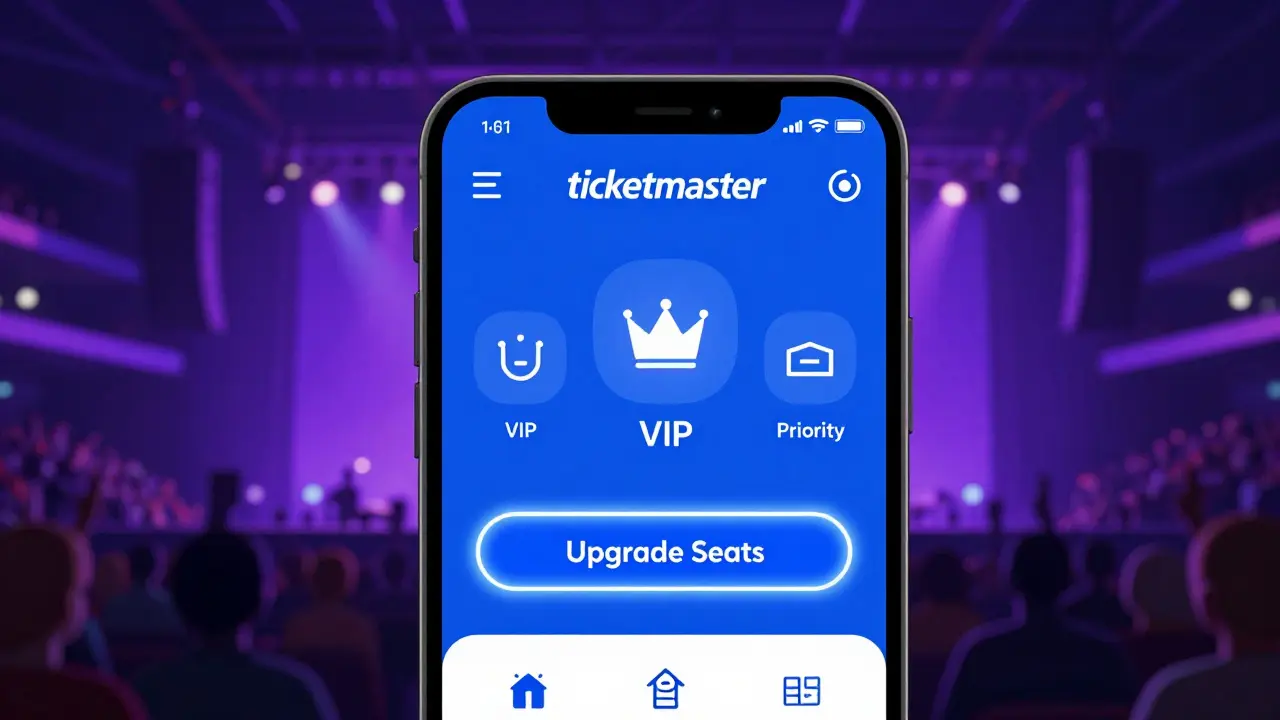
Not every event lets you upgrade. If you bought tickets during a presale, or if the event is sold out with no premium inventory, you won’t see the upgrade option. Some artists or promoters lock seating for VIP packages from the start. If you don’t see an upgrade button after checking all three methods, it’s likely not possible.
Also, upgrades are not available for all venues. Smaller clubs, outdoor festivals, and some international events don’t integrate with Ticketmaster’s upgrade system. If you’re going to a show in Europe or Asia, check the venue’s official site directly.

If you upgrade and later realize it was too expensive, you can’t get your original ticket back. Ticketmaster treats upgrades as new purchases. The original ticket becomes void. So make sure you’re happy with the upgrade before you confirm.
Some VIP packages are non-refundable. Always read the fine print before clicking “Buy.” Look for phrases like “final sale” or “no exchanges.”
Last year, a fan bought a $120 ticket for Coldplay’s Auckland concert in Section 205. Three days before the show, they checked the Ticketmaster app and saw a premium upgrade: Section 103, Row 8, with access to a VIP lounge and a free hoodie. The upgrade cost $340. They took it.
The difference? They were front and center, not just hearing the music but feeling it. The lounge had snacks, free drinks, and a private restroom. They met the opening act backstage. The hoodie? They still wear it.
That’s the kind of upgrade that turns a concert into a memory.
Not every concert needs an upgrade. If you’re going to see a band you’ve known since high school and you’re happy just being in the crowd, stick with what you’ve got. But if this is your once-in-a-lifetime chance to see your favorite artist live, and you’ve got the budget? Go for it.
Upgrading isn’t about showing off. It’s about making sure you don’t miss the moment because you were too far back to see it.
Usually not. Upgrades are only available before the event starts. Once doors open, the system locks. Some venues allow upgrades during intermission for multi-act shows, but this is rare. Always check the upgrade window in your confirmation email.
Yes. Upgrades are tied to your account. If you bought tickets as a guest, you need to create an account using the email address you used for the purchase. Then log in and go to “My Events” to see upgrade options.
No. Once you upgrade, your original ticket is canceled, and the new ticket is final sale. You can’t get a refund for the difference. Always be sure before you upgrade.
Only if the ticket is in your account. Ticketmaster links upgrades to the original purchaser’s profile. If you bought tickets for friends and they’re under your name, you can upgrade them. If they bought their own tickets, they’ll need to upgrade themselves.
Make sure you’re using the latest version of the Ticketmaster app. Sometimes, the upgrade feature doesn’t show up on older versions. Also, check that your event is eligible-some festivals, international shows, or resale tickets don’t support upgrades.